AI Whiteboard Animation Maker

Describe a topic and your audience to create a whiteboard animation video with English voiceover and captions. The illustration builds as each idea is explained, and you get a landscape or portrait MP4 for lessons, YouTube, Shorts, Reels, and TikTok without drawing or arranging a timeline.

  • Topic to finished video
  • English voiceover and captions
  • Landscape & portrait MP4

Create your whiteboard video

We turn your topic into a script, illustration and narrated video.

Describe your topic and audience in 3–1,000 characters.

Try a topic

Voice

Warm, confident and reassuring with a professional tone.

English narration · 16:9 landscape or 9:16 portrait · About one minute

Your whiteboard video

Your video will appear here, ready to watch and download.

Whiteboard animation examples

Explore four complete whiteboard animation videos, from familiar everyday journeys to science and invention. Watch the drawing build alongside the narration to see the style, pacing, and finished video format.

Play with sound to see how each part is drawn as it is explained.

Everyday stories

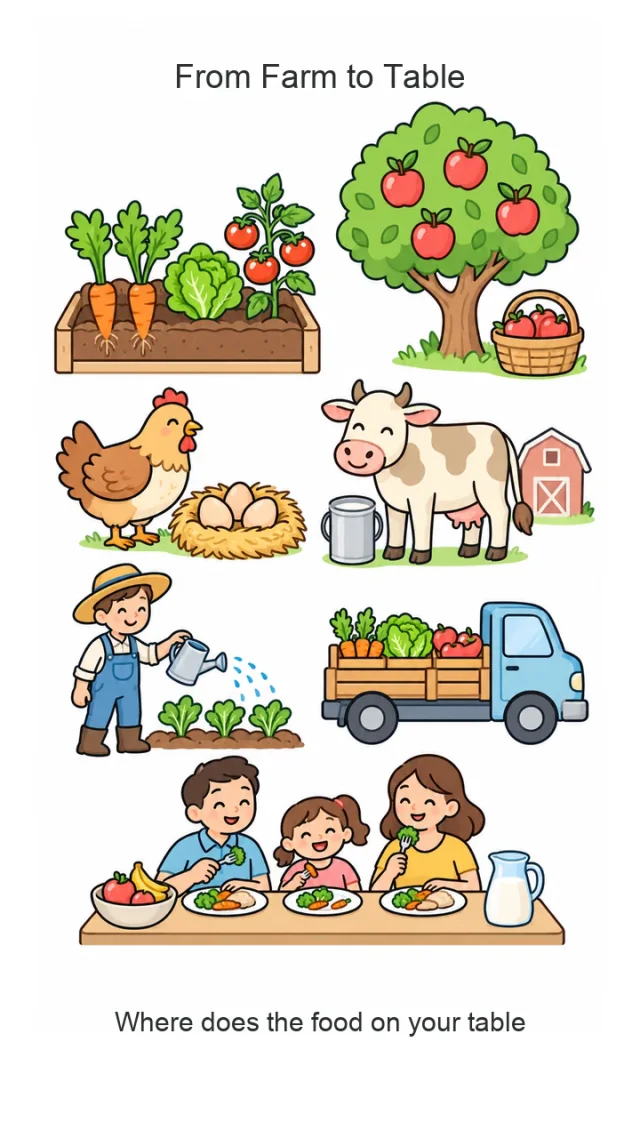
From farm to table

Follow vegetables, fruit, eggs, and milk from the farm to a family dinner.

How things work

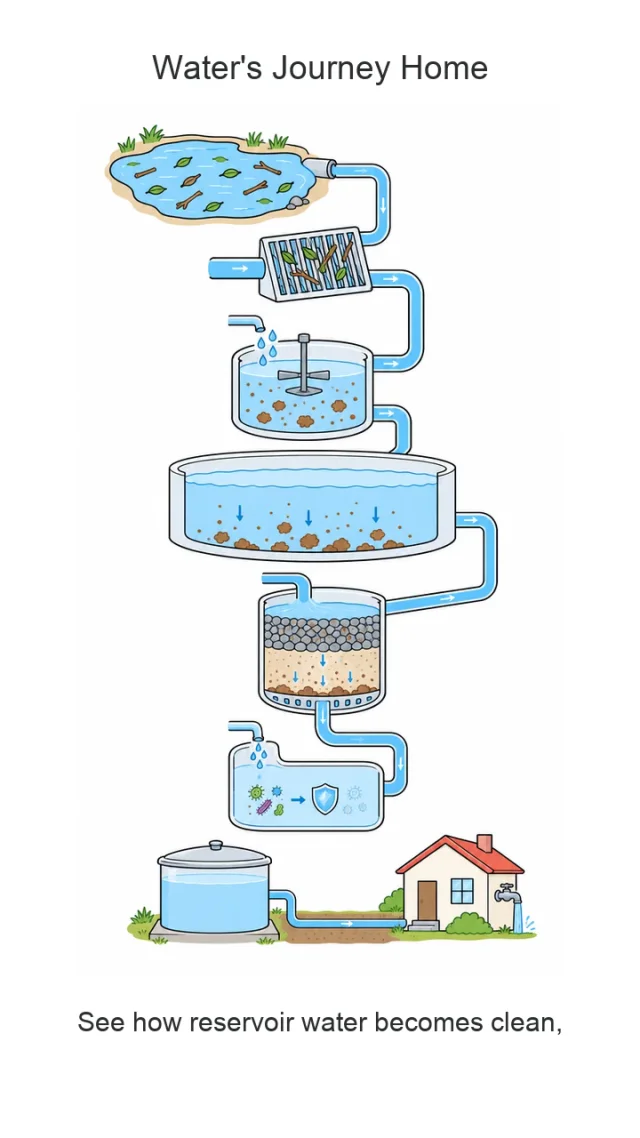
How water reaches your tap

See how water is cleaned and makes its way from a reservoir into our homes.

History & inventions

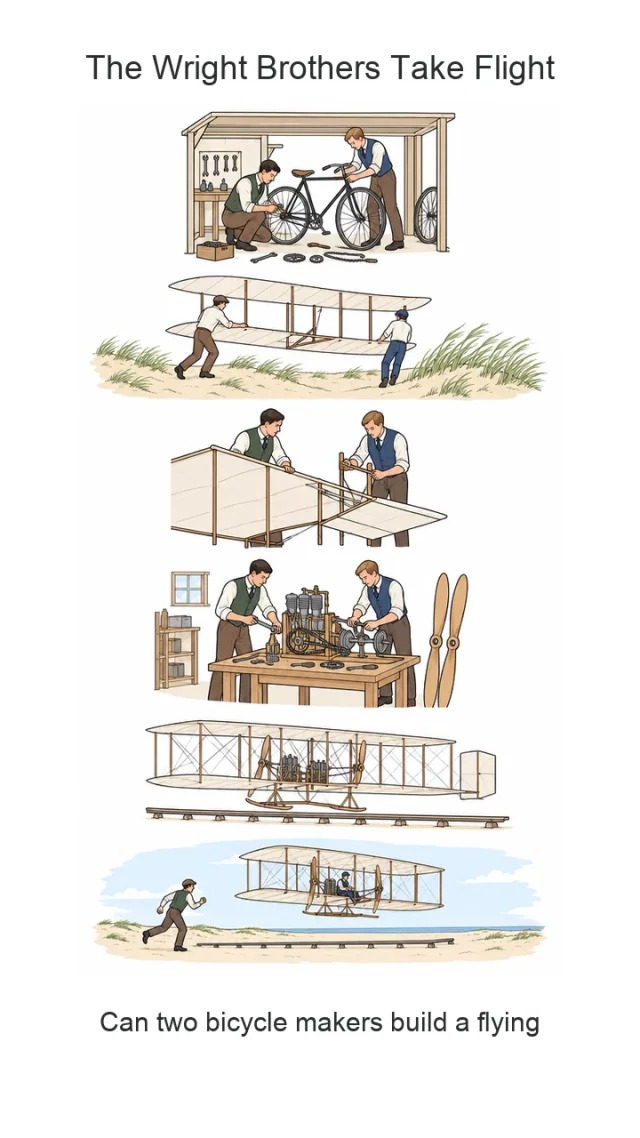
The Wright brothers take flight

Tell the story of two bicycle makers and their journey toward powered flight.

Everyday science

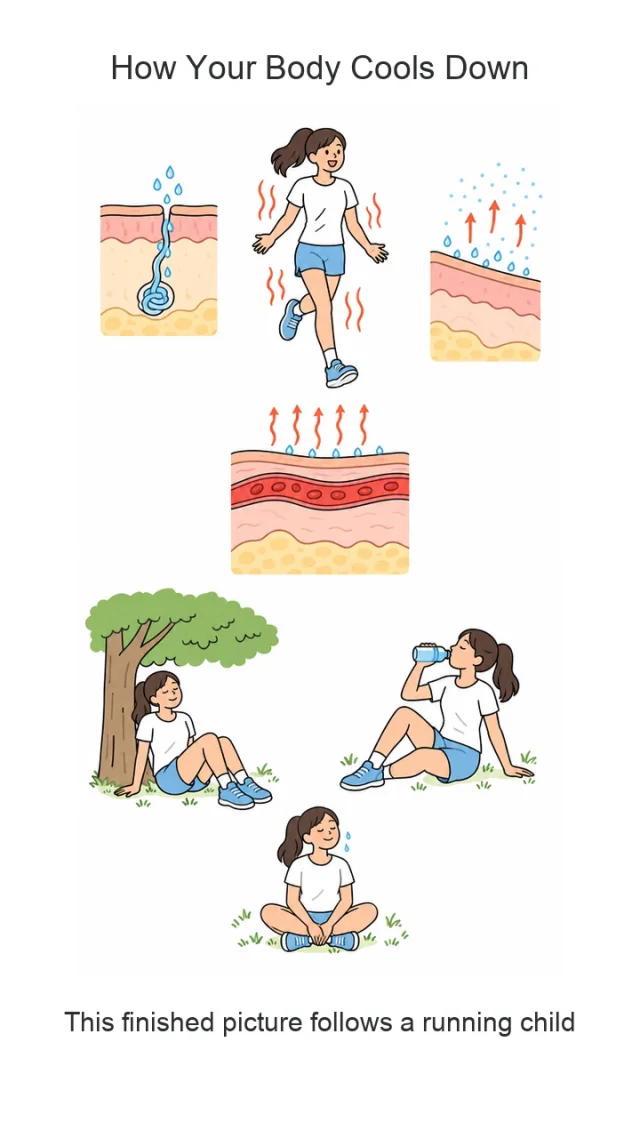
Why we sweat to cool down

Explain how sweat, evaporation, and a little rest help the body cool down after exercise.

From your topic to a complete narrated video

Bring your idea, visuals, narration, and captions together in one video, with a drawing that builds step by step and gives your audience a clear way to follow the story.

Turn a topic into an illustrated story

Write what you want to explain and who should understand it. The AI builds a script and a matching illustration around that brief, giving your whiteboard animation video a clear subject and a natural flow. A familiar topic, such as the journey from farm to table, becomes a story about the people, places, and steps behind an everyday moment.

  • Describe your topic and audience in plain English.
  • Get a script and illustration created for the same explanation.
  • Start with a short brief instead of preparing all the media yourself.
Whiteboard illustration of vegetables, an apple tree, farm animals, a farmer, a delivery truck, and a family sharing dinner.

Let the drawing follow the explanation

The picture builds as the narrator introduces each part of the topic. In the water example, collection, cleaning, and delivery appear in order, helping viewers connect what they hear with what they see. Earlier parts remain on the board, so the final illustration brings the whole explanation together.

  • Sequential drawing matched to the narrated content.
  • Outlines and color appear as each part is introduced.
  • One complete illustrated scene that viewers can follow from start to finish.
Whiteboard diagram showing reservoir water passing through screening, treatment, filtration, and storage before reaching a home.

Bring the story to life with voice and captions

Choose a narration voice in the generator and let the spoken explanation guide the video. Captions follow the same narration, giving viewers another way to follow along. The sweating example pairs a familiar activity with simple diagrams to explain how the body responds to heat and how evaporation helps it cool down.

  • English AI narration included in the finished video.
  • Captions timed to the spoken explanation.
  • No separate recording or captioning step before you can preview the result.
Whiteboard illustration of a person exercising, sweating, resting under a tree, and drinking water, with diagrams of sweat and skin.

Make faceless explainers in landscape or portrait

Tell a story without appearing on camera. From the Wright brothers' experiments to a quick science lesson, the whiteboard format keeps the focus on the idea. Use a landscape MP4 for YouTube, lessons, and presentations, or a portrait MP4 for Reels, TikTok, and YouTube Shorts, with narration and captions included.

  • Landscape 16:9 or portrait 9:16 output.
  • English narration, drawing, and captions in one MP4.
  • Short explanations around a minute long, up to 90 seconds.
Whiteboard illustration of the Wright brothers building bicycles, testing gliders, working on an engine, and flying an early airplane.

How to create your whiteboard animation

Go from a topic to a narrated video in three steps. A focused brief gives the generator a clear explanation to build.

01

Describe one topic and your audience

Say what the video should explain and who will watch it. Add the main point you want them to remember, rather than asking for several unrelated topics.

For example: Why do we sweat after running? Explain how evaporation cools the skin for children ages 8–12.

02

Choose a voice and generate

Pick a narration voice, check the credit cost, and submit your topic. The generator creates the script, illustration, voiceover, captions, and drawing sequence together. You can follow its progress on this page.

03

Preview and download your video

Watch the finished explanation with sound, review the wording and visuals, then download the MP4. Use landscape video for lessons and YouTube, or portrait video for Shorts, Reels, and TikTok.

What can you explain with a whiteboard video?

Use a short illustrated explanation when your audience needs to understand a process, follow a story, or connect an idea to something familiar.

Short lessons for curious learners

Use a whiteboard animation video to introduce one concept at a time, such as how plants grow or where food comes from. Describe the learners' age and background to help shape the explanation.

Everyday questions and science

Turn questions such as why we sweat or how tap water is cleaned into narrated explainers that connect an everyday experience with the process behind it.

History and invention stories

Introduce an inventor, discovery, or turning point through a short visual story. Keep the focus on a few connected events, as in the Wright brothers example.

Faceless social content

Create an explainer for YouTube or a portrait video for Reels, TikTok, and YouTube Shorts without filming yourself. Drawing, voiceover, and captions give your audience a complete explanation to watch.

Product and service explanations

Explain the idea behind a product or how a service works in plain language. Focus on one useful takeaway that helps a newcomer understand the subject.

Training and community introductions

Introduce a simple workflow, shared idea, or common question for a team or community. State the audience and the purpose so the video has a clear starting point.

Whiteboard animation questions, answered

Learn what you can create, what to include in your topic, and how the finished video is delivered.

1

What is whiteboard animation?

A whiteboard animation video shows illustrations being drawn on a plain white background while a narrator explains the subject. The drawing develops in sequence, making it a useful format for short lessons, process explanations, and stories. This AI whiteboard animation maker creates the script, illustration, voiceover, and captions from a topic.

2

What should I write in the topic box?

Name one subject, describe who the video is for, and say what you want them to understand. For example: explain how clean water reaches our taps for children ages 8–12, focusing on what each treatment step removes. A specific brief gives the video a clearer direction than a broad request to explain all of science or history.

3

Do I need a script, pictures, or a recording?

No. Start with a topic and audience; the generator creates the script, illustration, narration, and captions. The current version uses that topic as its input and does not accept uploaded pictures, external audio, or a finished script. The examples above show the drawing style and narrated format.

4

Can I choose the narration voice or language?

You can choose an AI narration voice in the generator before submitting. This version creates the script and voiceover in English, with matching English captions. You do not need to record your own audio or add subtitles in another tool.

5

How long are the videos, and how long does generation take?

Videos are usually around a minute long, with a maximum output length of 90 seconds. The actual length depends on the explanation and the time needed to draw it. Generation can take several minutes; the page shows progress while the script, illustration, narration, and video are being prepared.

6

What formats can I download?

You can preview your finished video in the browser and download an MP4 in landscape (16:9) or portrait (9:16). Narration and captions are included in both formats. Each video builds one complete illustrated scene, as shown in the demos above.

7

Can I edit the script or individual scenes?

This tool starts from a topic and produces a finished narrated video with drawing and captions. It is designed for short, single-scene explainers and does not currently provide a script or timeline editor. Describe the audience and focus in your topic, then preview the MP4 before downloading.

8

Can I use the videos for YouTube, social posts, and lessons?

Yes. Use landscape video for YouTube, lessons, and presentations, or portrait video for Reels, TikTok, and YouTube Shorts. Download the MP4 and upload it through the platform you use, or import it into your usual video editor for further work.

9

How much does the whiteboard animation maker cost?

The Generate video button shows the credit cost before you submit. Sign in to use your account credits, choose a topic and voice, and check that cost before starting. If a generation fails, any charged credits are refunded automatically. Watching the demo videos does not submit a generation.

Turn your next idea into a whiteboard video

Describe what you want to explain, then create a whiteboard animation video with narration, drawing, and captions in landscape or portrait.